PVZ Fusion PC Download for Windows
PvZ Fusion 3.9 is the latest Plants vs Zombies Fusion PC version for Windows 7, 8, 10, and 11. Download the PC ZIP safely via MEGA or Google Drive, extract it to a simple folder, install the included runtime files if needed, and launch with the .bat file. English patch availability can lag behind the newest game release, so use the translation package that matches your installed PC version.
The game is in Chinese by default. For English and other language patches, see the community translation project.
Download PvZ Fusion 3.9 for PC
What's New in PvZ Fusion 3.9
- Gods Evolved rework — Inferno difficulty, Curse Trial traits, and two new maps
- 16 new fusion plants: Ender Pumpkin, Pennyshroom, Doompot, Ice Starfruit, Garlic Star and more
- New Ultimate and Commando fusions: Krakenbiller, Ultimate Furnace, Fume Commando, Scaredy Sniper
- New zombies: Football Vaulter, Squash zombotany, plus the Black Olive General and MJ Worldwide bosses
- Snow Land rework, Choral Obsidian Tall-nut skin, and new screen shake / damage number settings
PvZ Fusion PC Screenshots
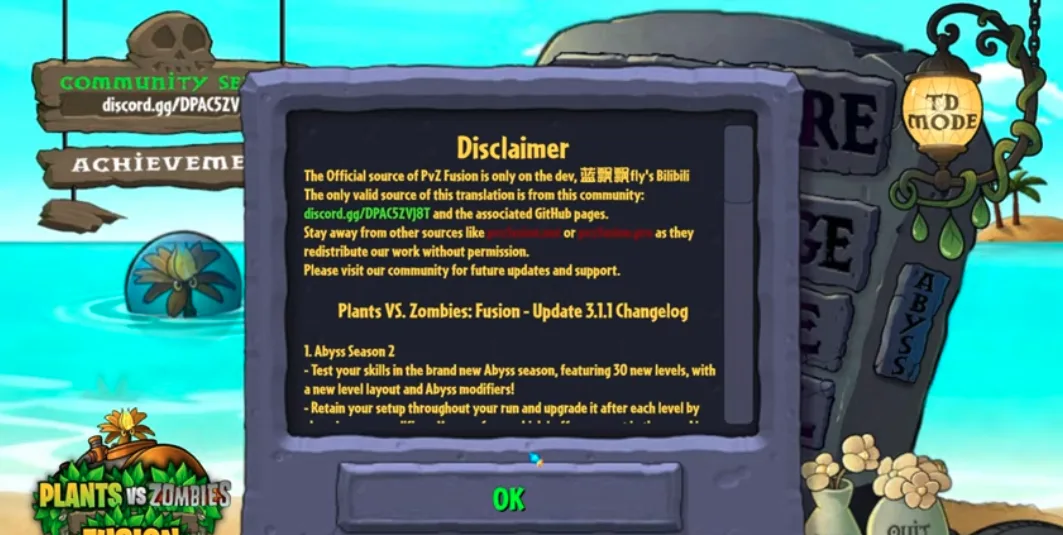
Preview the PvZ Fusion PC version on Windows, including desktop gameplay and fusion plant action.
Why Play Plants vs Zombies Fusion on PC?
The Windows version is the best choice for players who want a stable Plants vs Zombies Fusion setup with easier controls, clearer visuals, and simpler save management than mobile APK installs.
Bigger Screen for Busy Waves
PvZ Fusion can fill the lawn with hybrid plants, projectiles, shield units, and special zombie effects. Playing on a monitor makes it easier to read lane pressure, spot flying threats, and react before a lane collapses.
Mouse and Keyboard Control
The PC version gives precise cursor control for fast plant placement and fusion experiments. It is especially useful when testing expensive fusion chains or moving between lanes during boss waves.
Better Performance on Long Sessions
Windows PCs usually handle large zombie waves, custom levels, and visual effects more consistently than older phones. If your Android device lags during late-game stages, the PC build is often smoother.
Easier Save Backup and Updates
On Windows, save files can be backed up before updating to a new PvZ Fusion version. This makes it safer to test new releases while keeping your current progress.
Native PC Build vs Emulator
The native Windows build is recommended for most players. Emulator play is useful when you specifically need the Android APK, but it usually requires more RAM and adds another compatibility layer.
How to Install PvZ Fusion on Windows
Step 1: Download & Extract
- Click a download button above to get the ZIP file (~400 MB)
- Wait for the download to complete
- Right-click the ZIP file and select 'Extract All'
- Extract to a simple path like C:\Games\PvZFusion — avoid Desktop, Downloads, or OneDrive-synced folders
- Make sure the folder path has no special characters or accented letters
Step 2: Install Runtime Dependencies
- Open the _Redist folder inside the extracted game folder
- Install all Visual C++ Redistributable packages found there
- This step fixes most 'DLL missing' or 'application error' crashes on first launch
Step 3: Launch the Game
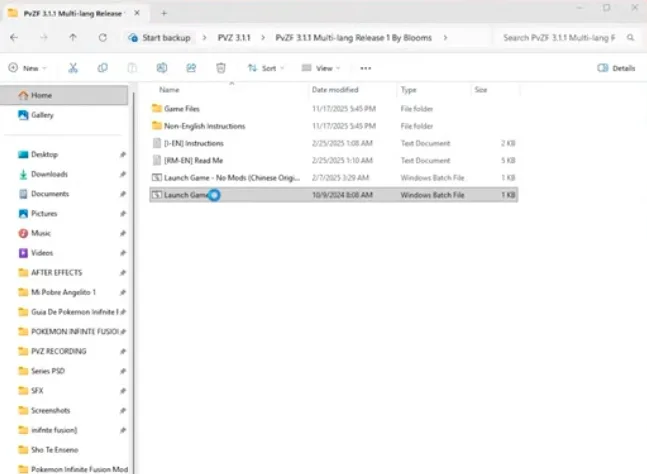
- Double-click 'Launch Game.bat' to start PvZ Fusion
- Do NOT run PvZFusion.exe directly — always use the .bat launcher
- If Windows SmartScreen blocks it, click 'More info' → 'Run anyway'
Is PvZ Fusion Safe to Download?
Use the MEGA or Google Drive links listed on this page, compare the archive details, and scan the ZIP before opening it. Antivirus warnings can have several causes, so inspect the detection result before restoring a file or adding an exclusion. Avoid unfamiliar mirrors and repackaged installers.
How to Play PvZ Fusion in English on PC
PvZ Fusion is in Simplified Chinese by default. The Blooms community maintains a free multi-language translation project on GitHub for PC players. Translation releases can trail the newest PvZ Fusion 3.9 PC build, so always download the patch that matches your installed game version. The English patch translates menus, plant names, zombie names, and in-game descriptions when a matching release is available.
- Download the latest Multi-Language release from the Blooms GitHub page (PVZF-Translation)
- Extract the translation files into your PvZ Fusion game folder, overwriting existing files
- Launch the game and go to Settings → Language → English
- If text remains in Chinese, verify you downloaded the release matching your installed PC version
System Requirements for PvZ Fusion on PC
| Minimum | Recommended | |
|---|---|---|
| OS | Windows 7 | Windows 10 or 11 |
| CPU | Intel Core i3 or equivalent | Intel Core i5 or equivalent |
| RAM | 2 GB | 4 GB |
| GPU | DirectX 9.0c compatible | DirectX 11 compatible |
| Storage | 500 MB free space | 1 GB free space |
Windows Troubleshooting
Antivirus Blocks or Deletes PvZ Fusion
Do not assume an antivirus detection is a false positive. Confirm that the ZIP came from a listed mirror, compare its details, and scan it with more than one security engine. Only restore a quarantined file or add an exclusion after you have reviewed the detection and trust the source.
Visual C++ Redistributable Errors (DLL Missing)
Install all packages from the _Redist folder inside the game directory. If the _Redist folder is missing, download the Visual C++ 2015-2022 Redistributable (x86 and x64) directly from Microsoft's website.
Game Won't Launch or Crashes on Startup
Make sure you are running 'Launch Game.bat', not the .exe file directly. Try right-clicking the .bat file → Run as administrator. Verify the game path has no spaces, accents, or non-English characters. Disable fullscreen optimizations on PvZFusion.exe if crashes persist.
Path Contains Special Characters Error
Move the game folder to a simple path like C:\Games\PvZFusion. Avoid paths that contain spaces, accented characters, non-English letters, or are nested inside OneDrive, Desktop, or Downloads folders.
PvZ Fusion PC Multi-Language Downloads
PvZ Fusion PC is available in multiple languages thanks to the Blooms community translation project. Download the version that matches your language below.
| Language | Latest Version | Status | Download |
|---|---|---|---|
| English | 3.6.1 | Up-to-date | GitHub |
| Vietnamese (Tiếng Việt) | 3.4.2 | Available | GitHub |
| Spanish (Español) | 3.4.2 | Available | GitHub |
| French (Français) | 3.3.1 | Available | GitHub |
| Japanese (日本語) | 3.3.1 | Available | GitHub |
| Russian (Русский) | 3.3.1 | Available | GitHub |
All translations are installed by extracting the translation files into your PvZ Fusion game folder. See our English Translation Guide for detailed instructions — the process is the same for all languages.
Video Installation Guide for PvZ Fusion PC
Watch a step-by-step video tutorial for installing PvZ Fusion on Windows PC.
How to Play PvZ Fusion Android on PC Using an Emulator
If you prefer the Android version of PvZ Fusion on a bigger screen, you can run the APK on your PC using an Android emulator. This is also useful if the Windows version has compatibility issues on your system.
- Download and install an Android emulator: BlueStacks, LDPlayer, or NoxPlayer are recommended
- Download the PvZ Fusion APK from our PvZ Fusion APK download page
- Open the emulator and drag the APK file into the emulator window, or use the emulator's APK install feature
- Wait for the installation to complete, then launch PvZ Fusion from the emulator's app drawer
Previous PC Versions — Download Archive
Need an older version of Plants vs Zombies Fusion for PC? Use this archive to jump directly to stable releases, multi-language builds, and older Windows packages.
| Version | Release Date | Highlights | Download |
|---|---|---|---|
| 3.8.1 | 2026-07-18 | Magic Ice Shooter, Black Olive General boss, Survival save fix | Download |
| 3.8 | 2026-07-12 | 2nd Anniversary update | Download |
| 3.7 | 2026-06-07 | Snowfield, Commando, and Elemental Synergy update | Download |
| 3.6.1 | 2026-05-10 | Official Stable Release | Download |
| 3.6 | 2026-04-12 | Travel Mode & Snowfield Update | Download |
| 3.5 | 2026-02-28 | Super Custom Level Editor | Download |
| 3.4.2 | 2026-01-25 | Balance Update | Download |
| 3.4.1 | 2026-01-10 | Travel Update Hotfix | Download |
| 3.4 | 2025-12-20 | Travel Update | Download |
| 3.3.1 | 2025-12-15 | Multi-language friendly stable build | Download |
| 3.2.1 | 2025-12-23 | Older Windows compatibility build | Download |
| 3.1.1 | 2025-10-15 | Legacy PC release | Download |
| 2.8.2 | 2025-08-14 | Popular older PC version | Download |
| 2.7 | 2025-07-05 | Evolution update archive | Download |
| 2.6.1 | 2025-06-15 | Stable 2.6 series hotfix | Download |
| 2.5.1 | 2025-04-27 | Legacy version with older translation support | Download |
| 2.1.7 | 2024-04-05 | Classic older PC archive | Download |
PvZ Fusion PC — Frequently Asked Questions
What are the system requirements for PvZ Fusion on PC?
PvZ Fusion runs on Windows 7, 8, 10, and 11. Minimum requirements are an Intel Core i3 processor, 2 GB RAM, DirectX 9.0c, and 500 MB free disk space. For the best experience, we recommend Windows 10/11 with 4 GB RAM and DirectX 11.
How do I install PvZ Fusion on PC?
Download the ZIP file from the links above, extract it to a simple folder path like C:\Games\PvZFusion, install the Visual C++ Redistributables from the _Redist folder, then launch the game using 'Launch Game.bat'. Avoid extracting to Desktop, Downloads, or OneDrive-synced folders.
How do I play PvZ Fusion in English on PC?
PvZ Fusion is in Chinese by default. Download the English translation patch from the Blooms community GitHub page (PVZF-Translation), extract it into your game folder, and select English in the in-game language settings. Visit our English Translation Guide for detailed step-by-step instructions.
My antivirus flags PvZ Fusion as a threat. Is it safe?
Custom game files can trigger antivirus warnings, but do not assume every detection is a false positive. Confirm that you used a listed link, compare the archive details, and scan the file. Only restore a quarantined file or add an exclusion after reviewing the detection and source.
How do I update PvZ Fusion to a newer version on PC?
Download the new version ZIP file from our download page, extract it to a new folder, then copy your save files from the old installation. Save files are located at C:\Users\[YourName]\AppData\LocalLow\LanPiaoPiao\PlantsVsZombiesRH. Always back up your saves before updating.
Can I use a game controller to play PvZ Fusion on PC?
PvZ Fusion is designed for mouse and keyboard input. There is no native controller support, but you can use third-party tools like JoyToKey or Steam Input to map controller buttons to mouse and keyboard actions.
Where are PvZ Fusion save files located on Windows?
Save files are stored at C:\Users\[YourName]\AppData\LocalLow\LanPiaoPiao\PlantsVsZombiesRH. To access this folder, press Win+R, type %appdata% and navigate up one level to LocalLow. Back up this folder before updating or reinstalling the game.
Can I run PvZ Fusion on Windows 7?
Yes, PvZ Fusion supports Windows 7. Make sure you have DirectX 9.0c installed and install the Visual C++ Redistributables from the _Redist folder included in the download. If the game crashes on Windows 7, try running 'Launch Game.bat' as administrator.
Credits
Translation by: Bioxcis, Prats, NickZin006, and Shellyuwa
Special thanks to Dyna, Nakune, Lanpiaopiao (Creator), and ANGGA (Bugfix)
By downloading, you agree to our terms of service and privacy policy.
For the best gaming experience, make sure your device meets the minimum system requirements.
View source code on GitHub